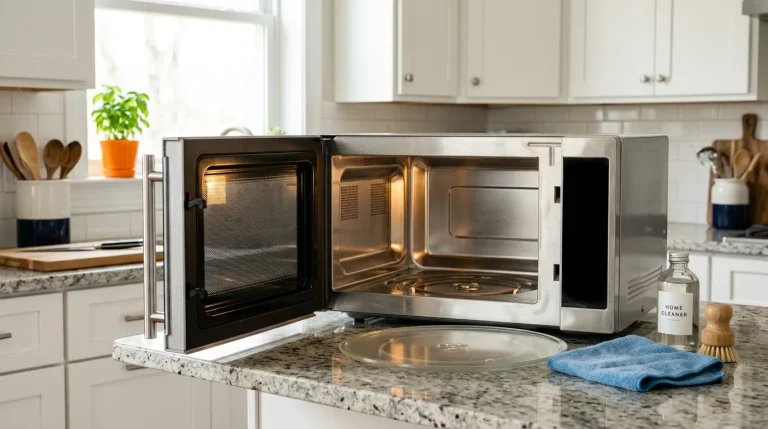
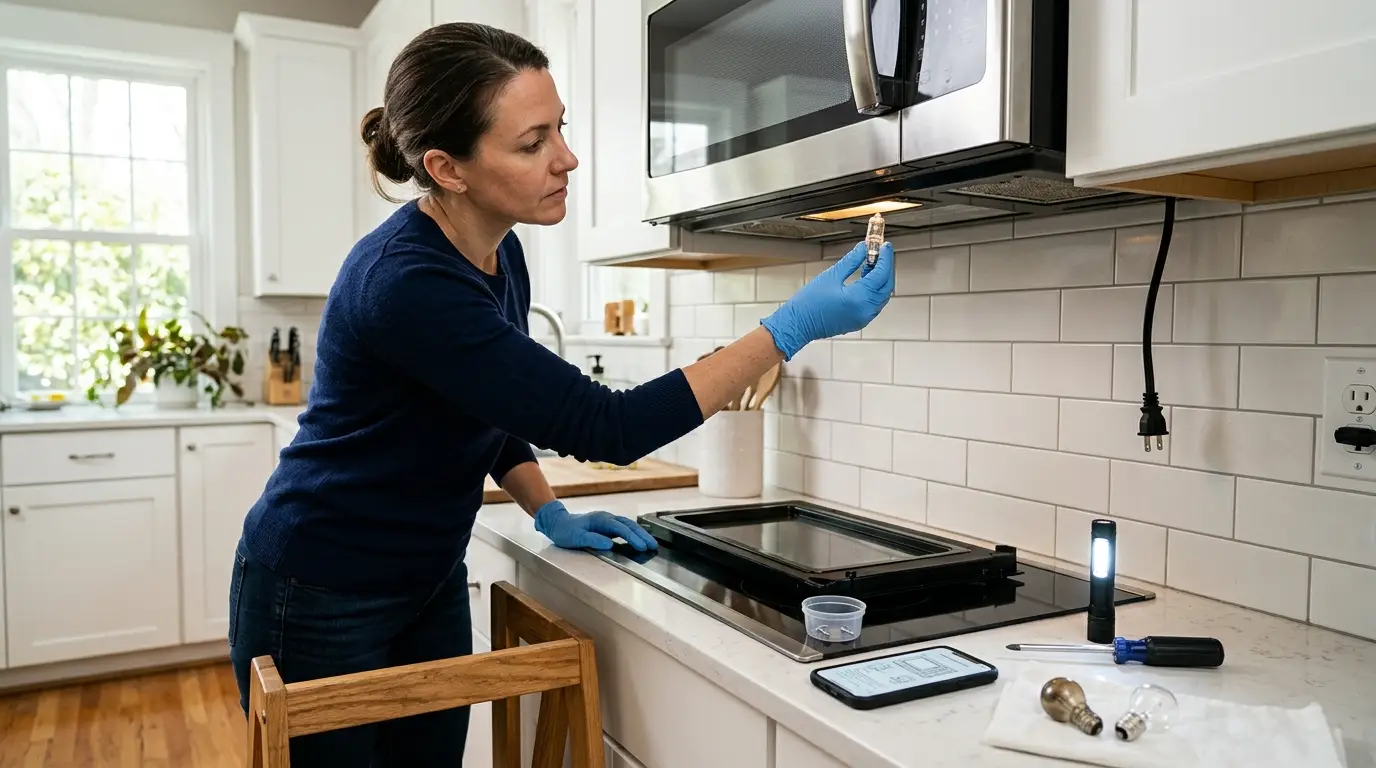
Unplug the microwave, fit the right bulb, inspect socket and door switch.
If your microwave is dark, you can fix it with a simple plan. In this guide on How to Fix Microwave Light Not Working, I share what I do in the field. You will learn safe steps, smart checks, and what to avoid. I cover bulbs, sockets, door switches, and control boards. Follow along, and you will spot the cause and fix it the right way.
Safety First: When to DIY and When to Call a Pro
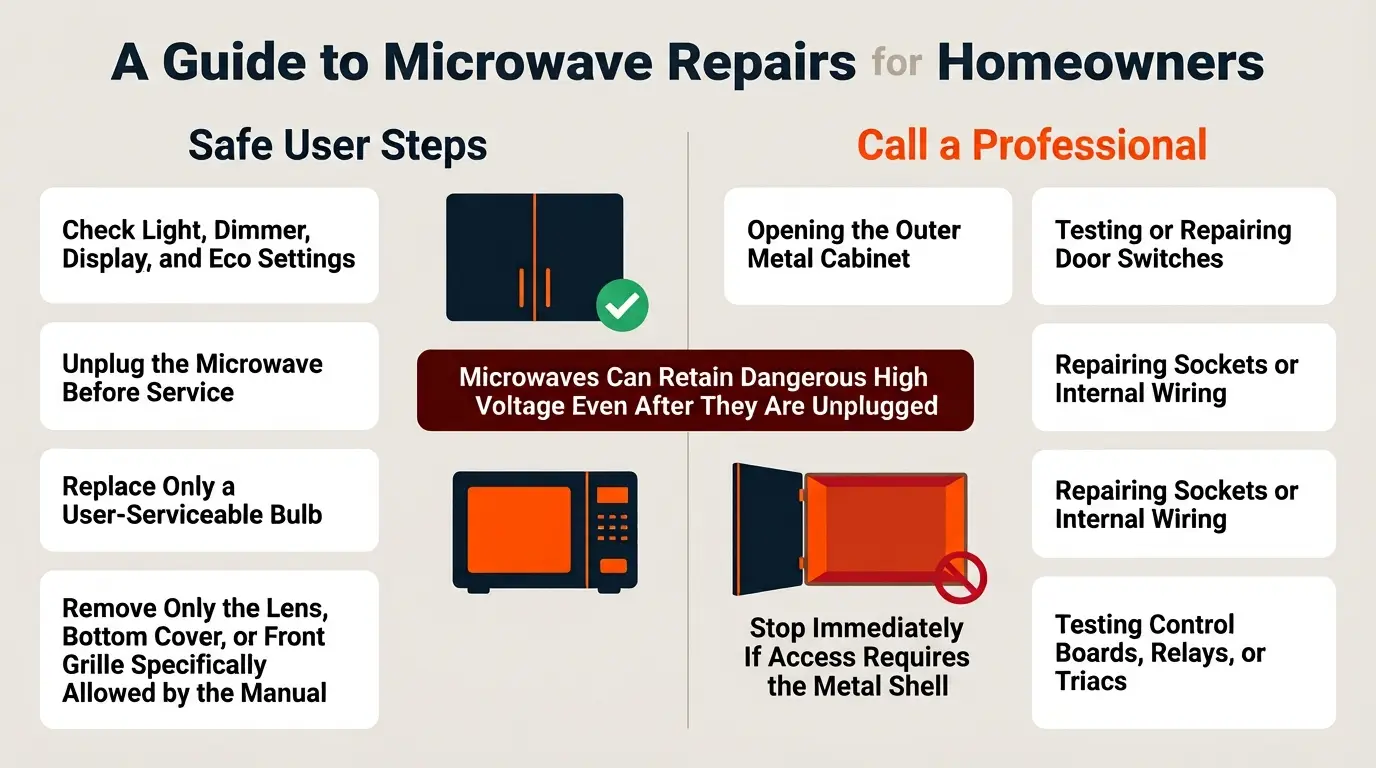
Microwaves can store a strong charge even when unplugged. That is why safety comes first. For How to Fix Microwave Light Not Working, only do parts that do not need you to open the metal cabinet.
Do these on your own:
- Replace a user-serviceable light bulb.
- Remove a lens cover or front grille per the manual.
- Check settings, Eco mode, or dimmer options.
Call a pro for these:
- Anything that needs you to open the metal shell.
- Door switch tests or wiring repairs.
- Control board repairs, relays, or triacs.
Tip from experience: I once helped a neighbor who tried to reach the bulb through the cabinet. He got stuck at the control panel and almost hit live parts. We stopped and called a tech. Do not risk it. Keep How to Fix Microwave Light Not Working limited to safe, user steps only.
Tools and Parts You’ll Need
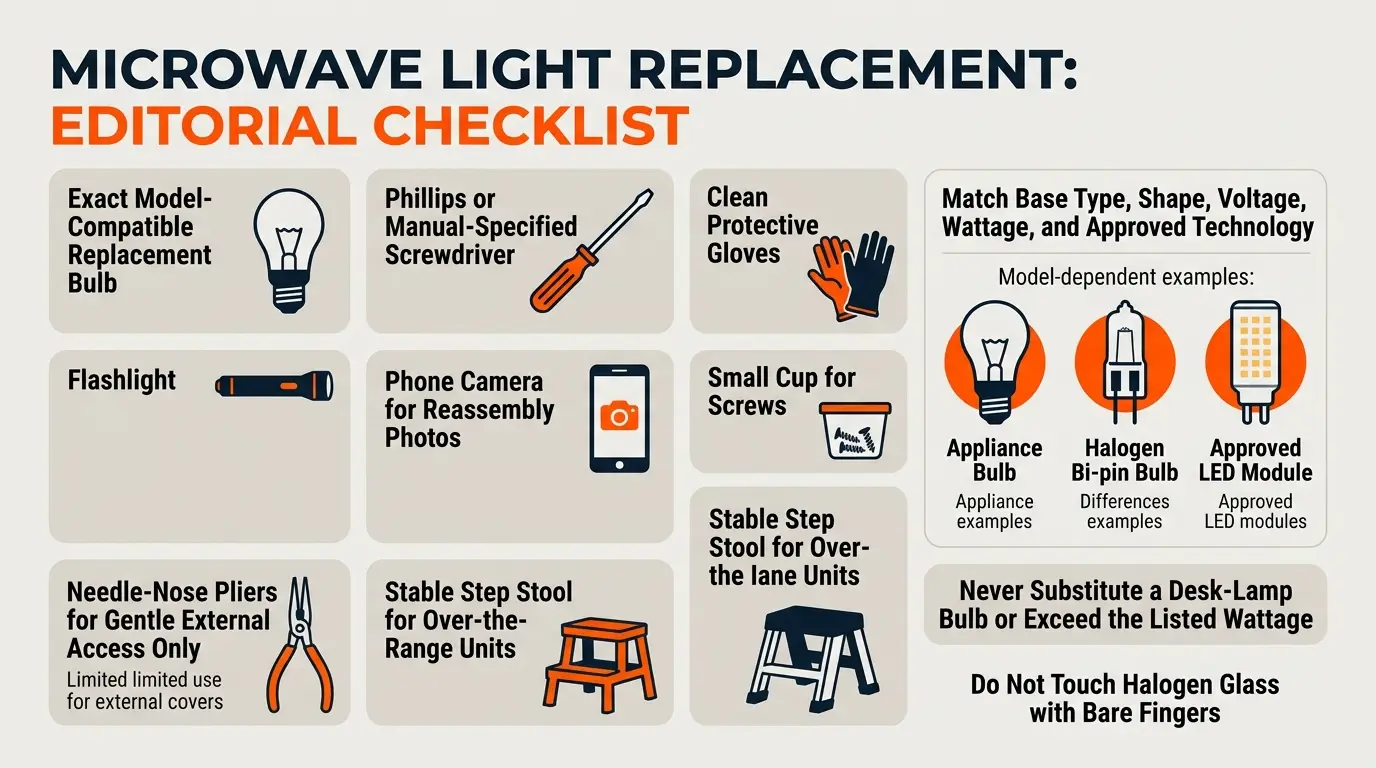
Before you start, gather a few items. This cuts time and keeps you calm.
- Replacement bulb that matches your model. Check the manual or the old bulb for type, base, and watts.
- Screwdrivers. A Phillips driver works for most models.
- Gloves. Use clean gloves, and do not touch halogen glass with bare hands.
- Flashlight. Helps you see small parts and slots.
- Needle‑nose pliers. Useful if the bulb is stuck. Grip gently.
- Phone camera. Take photos of each step so you can reassemble with ease.
- Step stool. For over-the-range units.
Note on bulbs: Many over-the-range units use halogen or LED bulbs for the cooktop light. Many interiors use appliance bulbs. Never use a random desk-lamp bulb. Using the wrong part is a common reason people search How to Fix Microwave Light Not Working.
Step-by-Step: Replace the Cavity Light Bulb
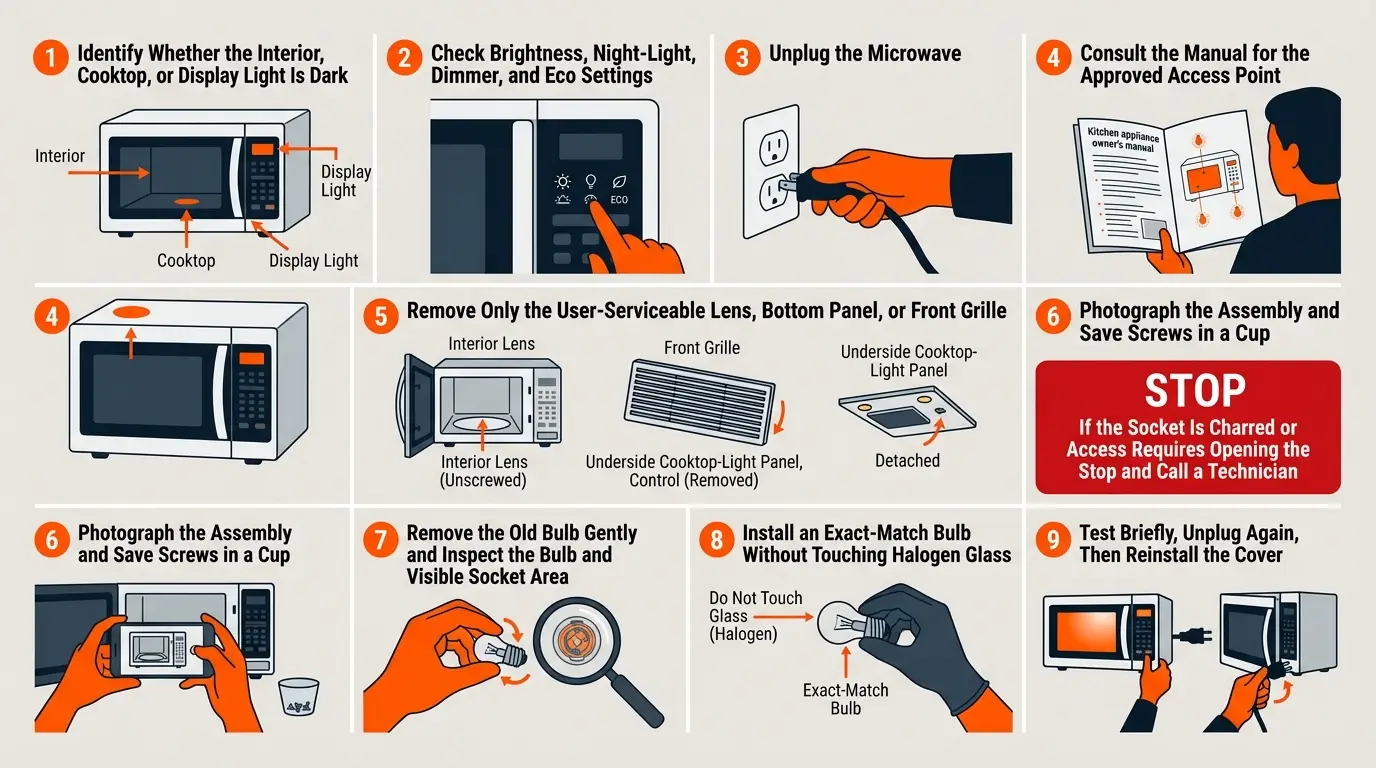
Start with the basics. A failed bulb is the top reason people ask How to Fix Microwave Light Not Working. Here is a clear and safe way to replace it.
- Confirm which light is out
Is it the interior cavity light that turns on when you open the door? Or the cooktop light under an over-the-range unit? Each has a different access point. - Check settings first
Some models have a night light or dimmer setting for the cooktop light. Some have Eco mode that dims or shuts off the display and cavity light on standby. Turn off Eco mode. Try each light setting first. - Unplug the microwave
This is a must. Let it sit a minute. Safety is step one in How to Fix Microwave Light Not Working. - Find the access cover
Common options:
- Interior lens: Inside the oven, there is a small clear cover held by a screw.
- Front grille: On many over-the-range units, remove two screws on top to lift off the front grille. The light housing sits behind the control panel area.
- Bottom panel: Some over-the-range models let you reach the cooktop light from a panel under the oven.
Check your user manual for the right path. Do not open the metal cabinet shell.
- Remove the cover
Keep screws in a cup so you do not lose them. Take a quick photo before you pull the cover. - Remove the bulb
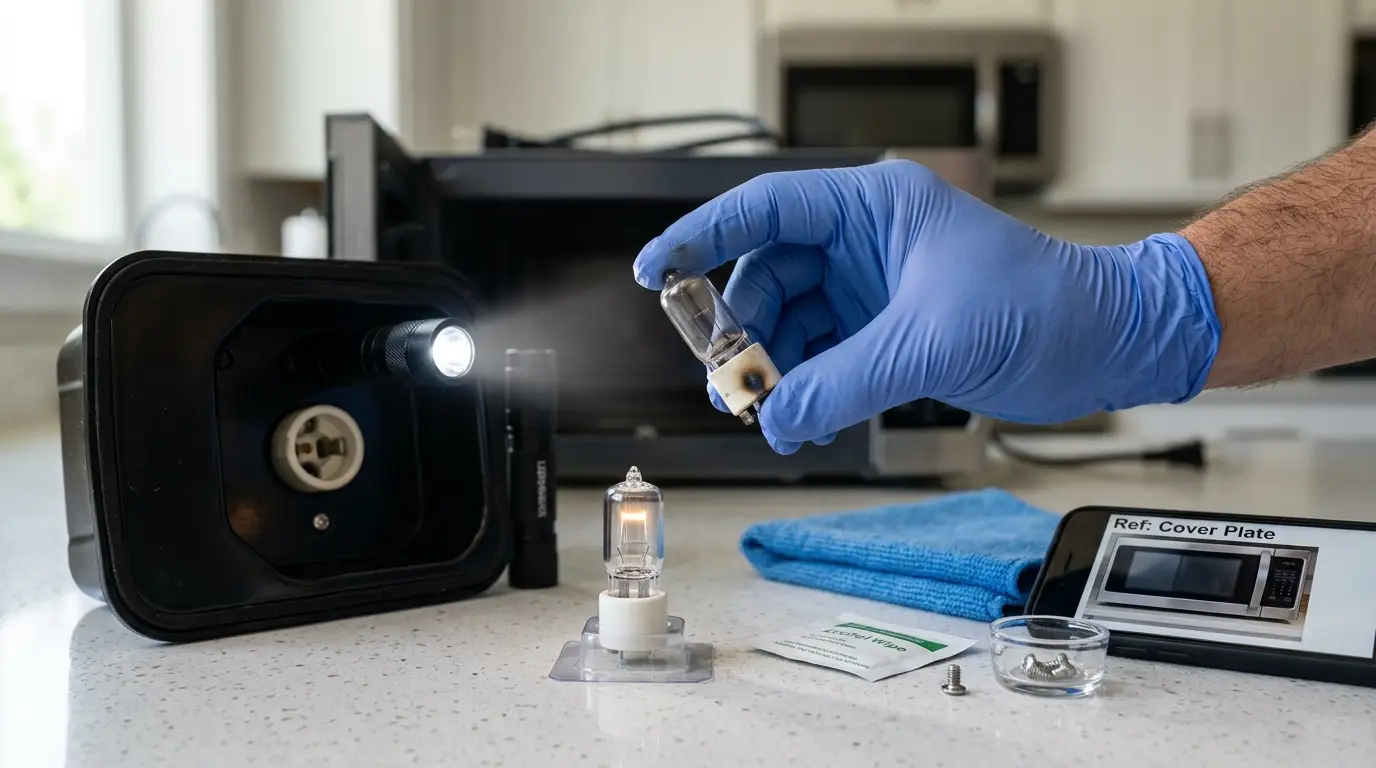
Turn it counterclockwise to loosen. If it is a push-fit or bi-pin halogen, pull it straight out. Do not crack the glass. If it sticks, wiggle gently, or use gloved fingers. - Inspect the socket and bulb
Look for dark spots, burned tips, or white powder. That means the bulb failed. If the socket looks charred, stop and call a pro.
- Match and install the new bulb
Use the same base type and watt rating. Do not touch halogen glass with bare hands. Oil from skin can shorten bulb life. If you do touch it, wipe with alcohol. - Test before closing
Plug in the microwave. Open the door. Does the light turn on? If yes, unplug it again and replace the cover and grille. If not, the bulb may be fine but power is not reaching it. - If the light still does not work
Recheck the bulb seating and wattage. If it is correct, the issue may be the socket, door switch, or control board. For safety, stop here and read the next sections or call a pro.
Real-world note: I once replaced a bulb that looked fine but had a broken filament you could not see. I learned to test with a known-good bulb whenever I can. It speeds up How to Fix Microwave Light Not Working.
If the Bulb Is Fine: Check the Door Switches
Door switches tell the microwave what to do when you open or close the door. They control the light, the fan, and the start circuit. They can fail from wear, heat, or a slammed door.
Watch for these clues:
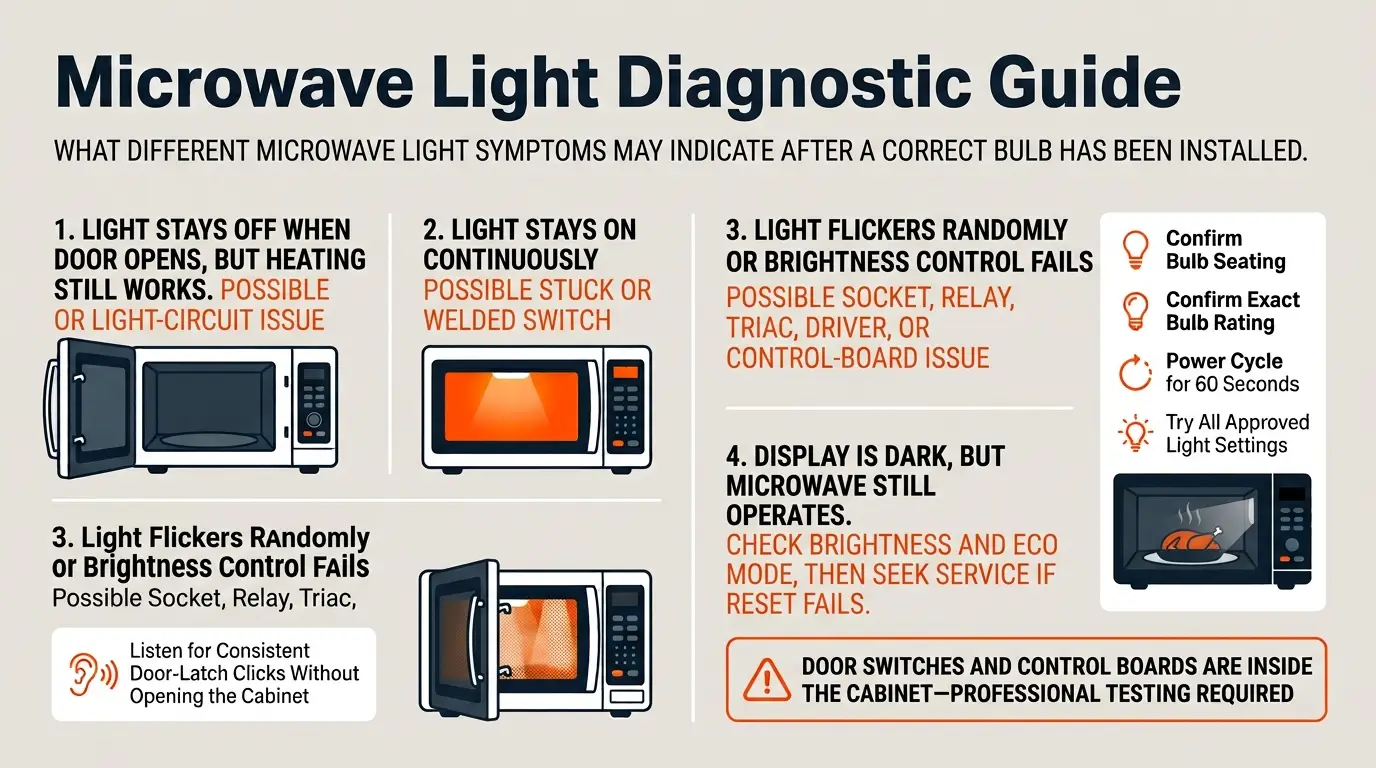
- Light does not turn on when the door opens, but the unit still heats food. One of the door switches may be stuck.
- Light stays on all the time. A switch may be welded shut.
- The unit beeps or errors when you open or close the door. The switch stack may be misaligned.
You can do a sound test. Open and close the door and listen for clean clicks. Weak or missing clicks can mean a bad switch. But do not open the cabinet to test with a meter. Door switch access is inside the cabinet. That is not a DIY zone. For How to Fix Microwave Light Not Working beyond the bulb, this is the point to call a technician.
Check the Control Board, Relays, and Triacs
The control board routes power to the light. A surge, a spill, or steam can damage a light relay or triac on the board. If your bulb is good and the door switches test fine, the control board may be the cause.
Common signs:
- Light flickers with no pattern, but other features work.
- Cooktop light brightness control no longer changes levels.
- Multiple odd issues appear together, like erratic fan or display glitches.
Board work needs training and safety gear. It means opening the cabinet and handling high-voltage parts. For How to Fix Microwave Light Not Working at the board level, let a pro test and repair it. Many boards can be fixed or rebuilt. In other cases, a new board is the clean choice.
Troubleshooting the Lighted Control Panel or Display Lamp
Sometimes, the “light” you mean is the display or keypad backlight. That is a different path.
Try these quick fixes:
- Check display brightness in settings. Some models have dim, normal, and bright.
- Turn off Eco mode. It often darkens the display by design.
- Power cycle. Unplug for 60 seconds, then plug back in to reset the controller.
If the display stays dark but the microwave works, the display LEDs or the board backlight driver may have failed. For this part of How to Fix Microwave Light Not Working, you will need a service call.
Preventive Tips to Avoid Future Light Failures
Good habits make bulbs last longer and keep sockets safe.
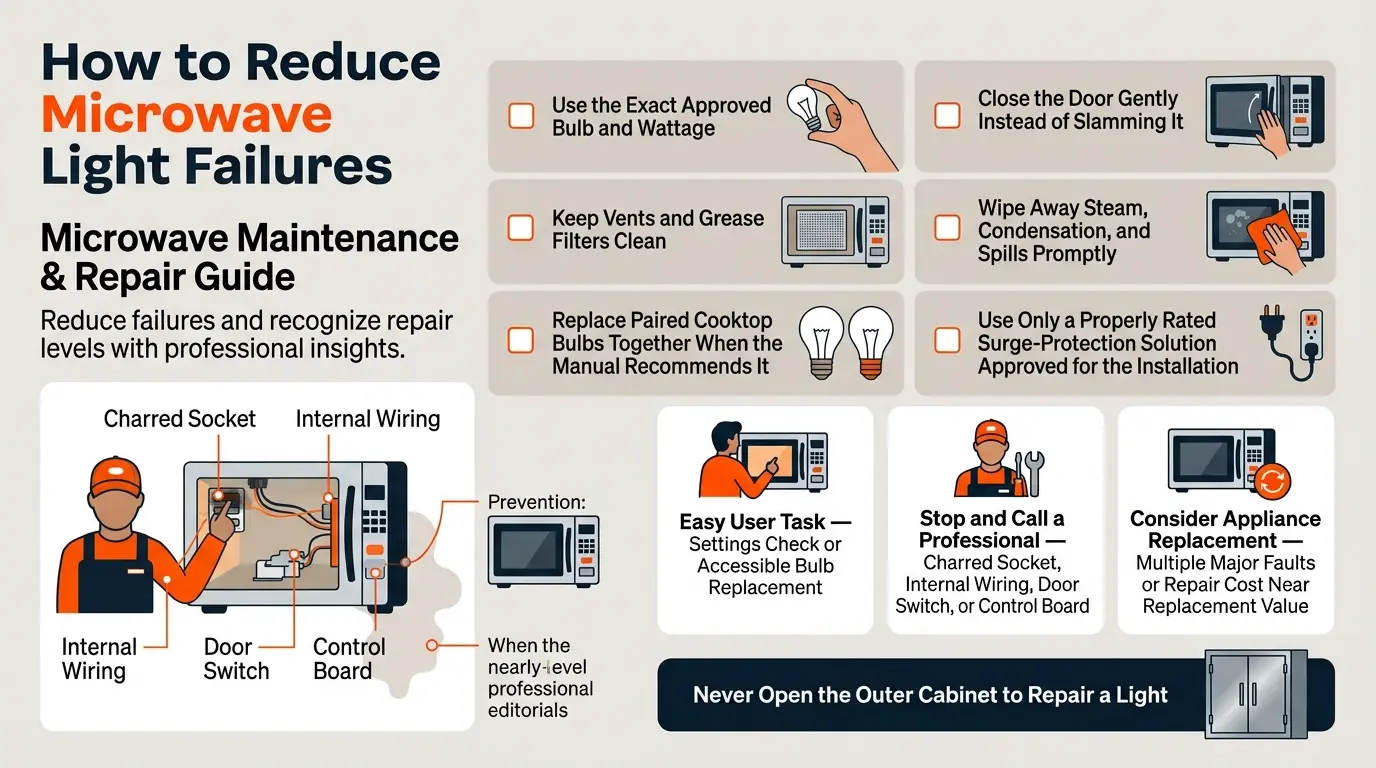
- Use the right bulb every time. Wrong wattage makes heat. Heat burns sockets.
- Keep vents and filters clean. Heat buildup hurts electronics and bulbs.
- Do not slam the door. Door shock kills switches over time.
- Wipe moisture and steam. Water sneaks into sockets and boards.
- Consider a surge protector. A surge can pop a bulb and a control board in a flash.
- Replace twin bulbs in pairs on cooktop lights. Balanced bulbs last longer as a set.
These tips lower the odds you will need How to Fix Microwave Light Not Working again soon.
Cost, Time, and Difficulty Breakdown
Here is what I see in the field. Your model may vary, but this will set your plans.
- Bulb only
Cost: 5 to 20 dollars for most interior bulbs.
Time: 10 to 20 minutes.
Skill: Easy if access is through the lens or grille. - Socket or wiring at the light
Cost: 15 to 60 dollars for the part, plus labor.
Time: 30 to 60 minutes.
Skill: Pro job if wiring is involved. - Door switches
Cost: 10 to 30 dollars per switch, plus labor.
Time: 30 to 90 minutes.
Skill: Pro job due to cabinet access. - Control board repair or replace
Cost: 120 to 350 dollars, sometimes more on premium brands.
Time: 60 to 120 minutes.
Skill: Pro job.
If you are budgeting for How to Fix Microwave Light Not Working, start with the bulb. It is low cost, fast, and often the fix.
Frequently Asked Questions of How to Fix Microwave Light Not Working
What bulb do I need for my microwave?
Check your user manual or pull the old bulb and match the base and watts. Many interiors use appliance bulbs, while over-the-range cooktop lights often use halogen or LED types.
Can I use an LED bulb inside the microwave?
Only if your manual lists an LED option with the same base and rating. Using an unapproved LED can cause heat or fit issues.
Why does my new bulb burn out fast?
Wrong wattage, touching halogen glass, or a loose socket can kill bulbs early. Heat buildup from clogged vents can also shorten bulb life.
My light works with the door open but not while cooking. Why?
That points to a control or switching issue. You may have a failing relay or door switch that needs a technician to test.
Is it safe to replace the bulb myself?
Yes, if the bulb is user-serviceable and you follow the manual. Unplug first, avoid opening the cabinet, and never touch halogen glass.
The cooktop light under my microwave is out. Is the fix the same?
Similar, but access is often from the bottom panel or behind the front grille. Match the exact bulb type listed for cooktop lighting.
The display is dark, but the microwave works. What now?
Check brightness and Eco mode, then power cycle. If still dark, the display backlight or control board needs service.
Will a surge protector help prevent light failures?
It can help guard the control board and bulbs from spikes. Use a protector that matches your microwave’s power draw.
Conclusion
You now have a safe, clear plan for How to Fix Microwave Light Not Working. Start with settings, then replace the bulb with the exact match. If the light still fails, look to the socket, door switches, or the control board, and call a pro when the job goes beyond safe access.
Take action today. Grab the right bulb, follow the steps, and bring back that bright, clean view of your food. Have a tip or a tricky model to share? Drop a comment, subscribe for more home repair guides, and let’s keep the fixes simple and safe.